Apple Enhances Mac Security Against 'Copy-Paste' Scams
Apple has introduced new safeguards in macOS to protect users from 'copy-paste' scams that exploit the Terminal application. These scams aim to trick users into granting unauthorized remote access to their Macs.
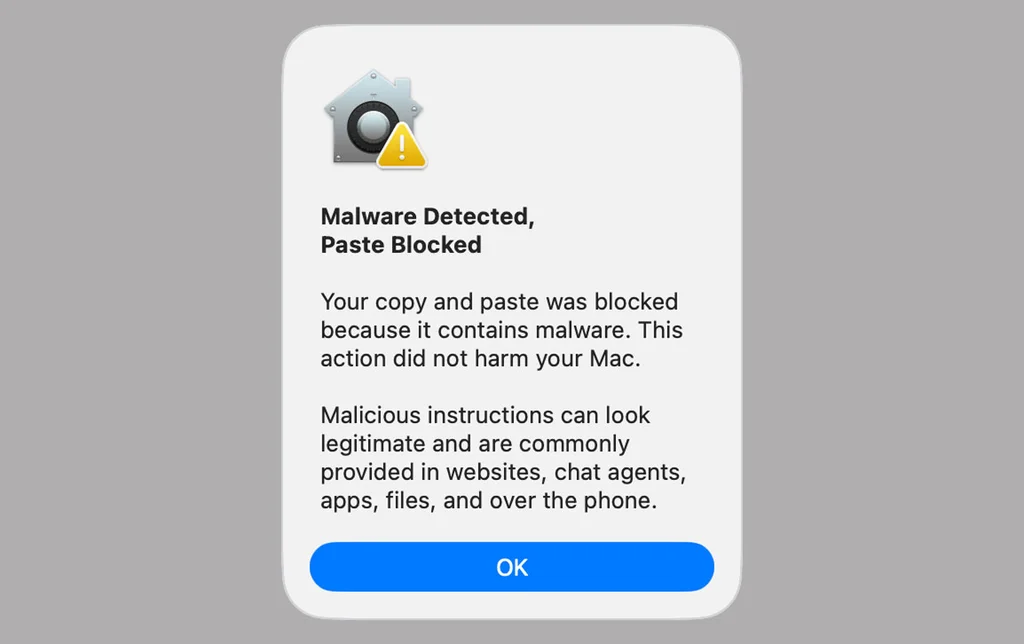
Apple has strengthened security on its Mac computers with a new protective measure aimed at combating the increasingly prevalent 'copy-paste' scam. This fraudulent tactic involves tricking users into copying and pasting potentially harmful commands into the Mac's Terminal application, thereby granting attackers remote access.
The scam typically relies on social engineering. Victims are often persuaded to copy a command from various sources like emails, text messages, online forums, or even AI chatbots. Pasting this command into Terminal, a tool designed for advanced users, can install malware or facilitate data theft if the user lacks proper understanding of its function.
In recent macOS versions, including spring's release 26.4, Apple has implemented new alerts. When a user attempts to paste a command into Terminal from an external source such as a webpage or messaging app, the application now displays a warning about potential malware. This prompts the user to pause and consider the implications before proceeding.
Furthermore, if the Terminal detects that a command or script contains malicious code, it will automatically block the action and notify the user with messages like 'Malware detected, paste blocked.' While these built-in protections are significant, they do not negate the need for user vigilance.
Apple and cybersecurity experts advise users to exercise extreme caution with Terminal commands. Never enter commands whose functions are not fully understood or verified, regardless of who is pressuring you to do so. Scammers often employ tactics of urgency; any such pressure is a strong indicator of a potential scam.