Browser Tab Overload Slowing PCs; Solutions Include Built-in Settings and Extensions
Excessive open browser tabs consume significant PC resources, leading to slowdowns. Solutions range from native browser memory-saving features to specialized extensions that manage tab activity.
A large number of open browser tabs can significantly impact a computer's performance. Each tab functions like a mini-application, running scripts and consuming RAM, which can lead to slower processing speeds and increased fan activity.
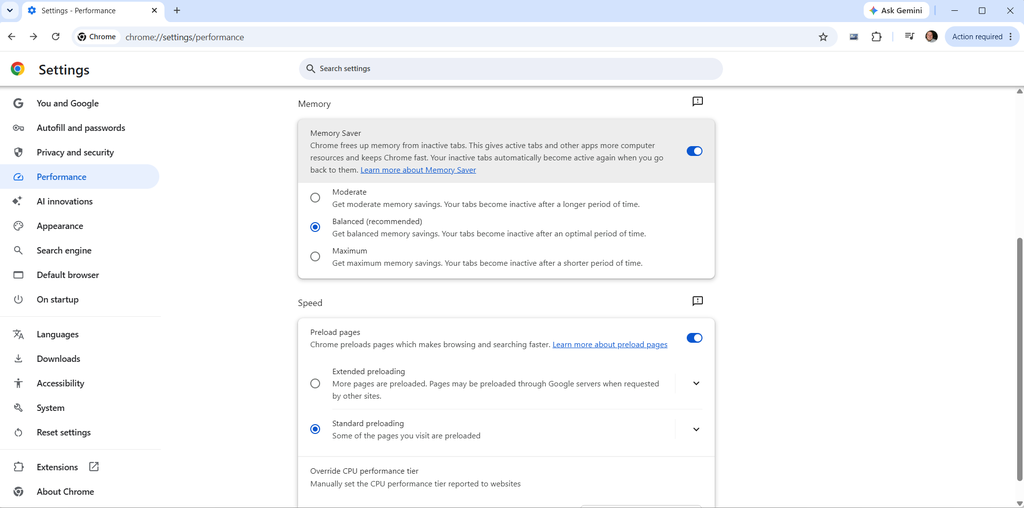
Web browsers like Google Chrome and Microsoft Edge offer built-in memory saver features that automatically suspend inactive tabs to free up RAM. Firefox also manages memory by unloading background tabs when system RAM pressure is high, prioritizing active processes.
For users seeking more proactive control, extensions such as Auto Tab Discard allow for precise rules on when tabs should be suspended, preventing data loss and managing resources before they become critical. Another option, OneTab, consolidates all open tabs into a single list, drastically reducing memory usage and decluttering the browser interface.
Additionally, many browsers support vertical tab layouts, which can improve readability for users with many open tabs. By combining these native features and third-party tools, users can mitigate performance issues caused by tab overload and optimize their computer's responsiveness.