Creality 3D Releases Guide on Fixing Layer Shift Issues in 3D Printing
Shenzhen Creality 3D Technology Co., Ltd. has published a guide addressing layer shift, a common problem where 3D print layers misalign. The guide details causes and solutions for users.
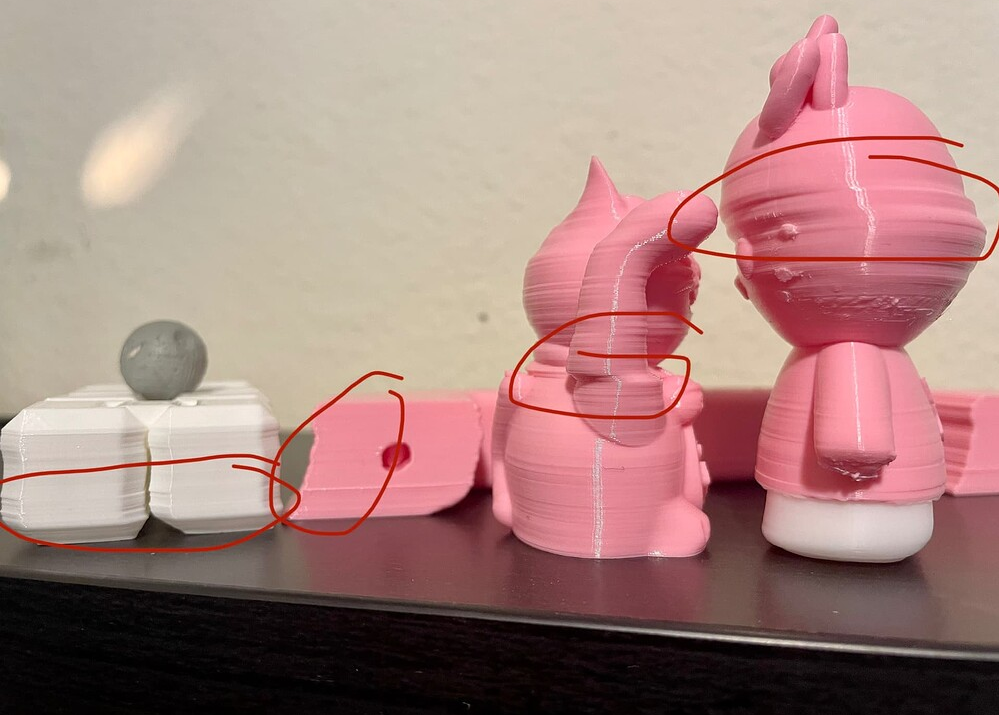
Shenzhen Creality 3D Technology Co., Ltd. has released a comprehensive guide to help users diagnose and fix layer shift, a frequent issue in 3D printing that occurs when layers fail to align correctly, creating visible steps or offsets.
The guide explains that layer shifts typically happen when the printer's X or Y axes lose their intended position mid-print. This can be caused by several factors, including mechanical issues such as loose or worn belts and pulleys, which can slip during rapid movements. Overloaded stepper motors that miss steps are another common mechanical culprit.
Other potential causes detailed in the guide include physical obstructions from debris or lack of lubrication, excessive print speeds that strain the motors, temperature-related issues affecting motor performance, and instability from vibrations or an uneven printer base. Software-related problems, such as incorrect slicer settings or faulty G-code, are also highlighted.
Creality suggests several practical solutions, starting with inspecting and tightening belts and pulleys to ensure proper tension. Users are advised to check for any physical obstructions on the printer's axes, ensure adequate lubrication, and verify that the printer is stable. Reducing print speed and checking for nozzle collisions with the print are also recommended steps to resolve layer shifting problems.