Creality Releases Guide for 3D Printer PTFE Tube Maintenance
Shenzhen Creality 3D Technology Co., Ltd. has issued a guide for the inspection, removal, and installation of PTFE tubes in its SPARKX i7 model. The company stresses the importance of regular maintenance to prevent filament feeding issues.
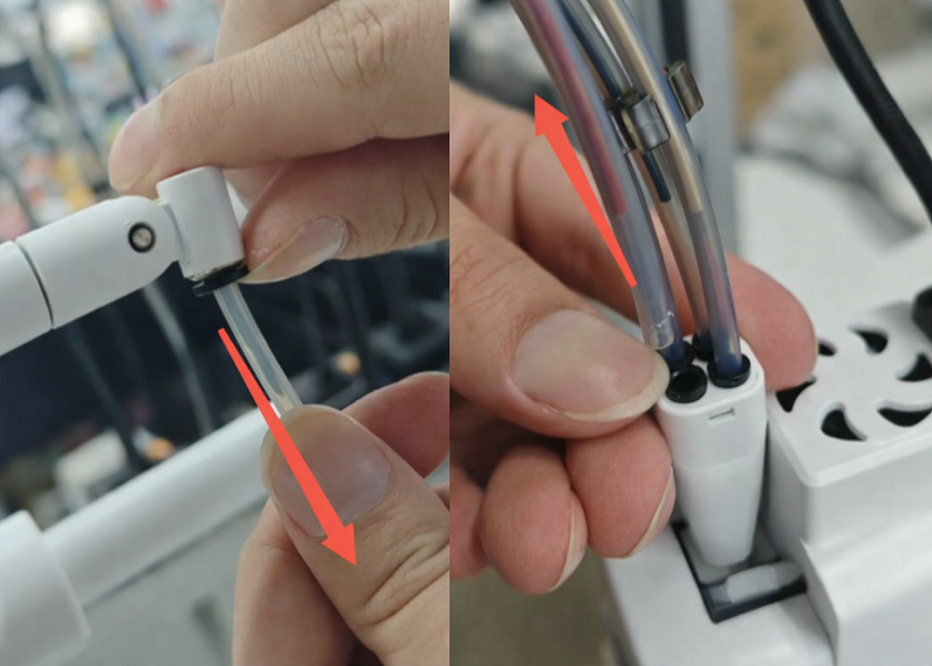
Shenzhen Creality 3D Technology Co., Ltd. has released a new maintenance guide for the PTFE tubes used in its SPARKX i7 3D printer. The company's instructions detail the process for inspecting, removing, and installing these tubes, aiming to ensure printer reliability and prevent filament feeding problems.
The PTFE tubes guide filament from various sources, such as the CFS lite, CFS mini, or spool holder, to the print head. Continuous friction with the filament can cause wear over time, leading to increased feeding resistance. Creality recommends inspecting the tubes every three months or replacing them when visible wear is observed or when the printer prompts for maintenance.
The replacement process requires minimal tools, often just hands or simple aids like tweezers. The specifications for the PTFE tubes are an outer diameter of 4 mm and an inner diameter of 2.5 mm. Different configurations, including the CFS lite, CFS mini, and Spool Holder, utilize varying lengths and quantities of these tubes.
The guide provides step-by-step instructions for removing old tubes from the print head manifold, spool holder, and feeder modules. It also covers the installation of new tubes, including confirmation steps to ensure secure seating and proper attachment of the toolhead cable. Creality advises using official SPARKX accessories for optimal compatibility and performance.