Creality Releases Guide for First Print with SPARKX i7 3D Printer
Shenzhen Creality 3D Technology has released a detailed guide for the initial setup and printing process of its SPARKX i7 3D printer. The guide covers installation, filament preparation, and starting prints.
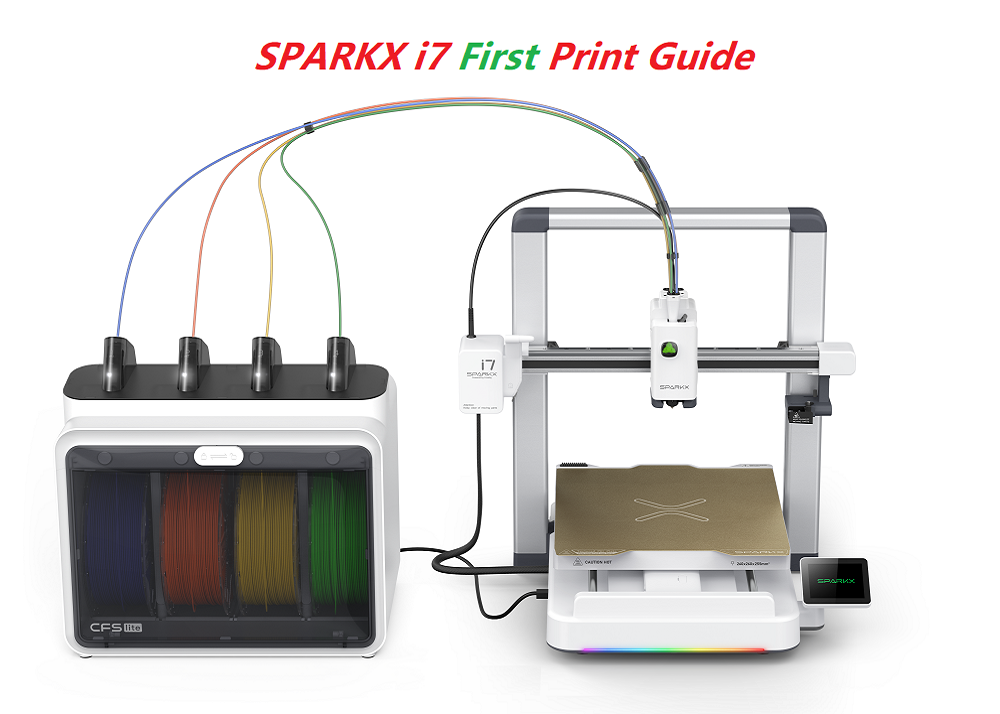
Shenzhen, China – Shenzhen Creality 3D Technology Co., Ltd. has published a new guide to assist users with the first print on their SPARKX i7 3D printer. The document provides step-by-step instructions for device setup, filament preparation, and initiating the printing process.
The guide begins with the installation of the CFS lite accessory, which connects to the SPARKX i7 printer via a PTFE tube and a 6-pin cable. Users are then instructed on preparing and loading filament into the CFS lite. The guide explains how to manually input filament details if an RFID tag is absent, or how the CFS lite automatically recognizes information when using RFID-enabled filament.
Starting a print can be done either directly from a printer model file or through the Creality Print software or the Creality Cloud app. Both methods guide users through model selection, configuration of settings, and launching the printing process.
Furthermore, the guide addresses filament refilling during an ongoing print. The CFS lite system's automatic refill function allows for seamless continuation of the print if multiple spools with identical filament attributes are loaded and one runs out.
Creality has previously introduced its K3 model and offers a wide range of 3D printers and accessories for both consumer and professional use. The company aims to make 3D printing more accessible through new products and comprehensive support materials.