Recoveryfix Offers Methods to Open MDB Files Without Access
Recoveryfix has released a guide detailing multiple ways to open legacy .mdb files. The instructions also cover common reasons for file access issues.
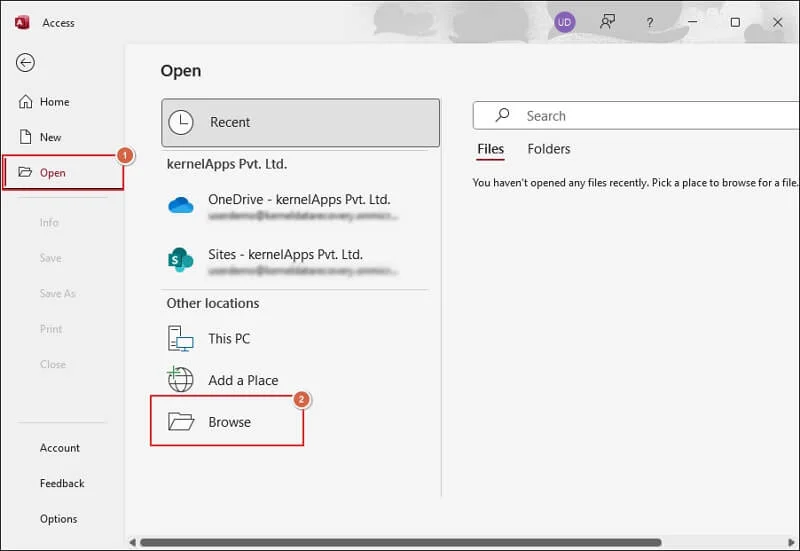
Recoveryfix, a company specializing in file recovery solutions, has published an updated guide on how to access .mdb files. These older database files, while still in use by some organizations, can present compatibility challenges.
The guide identifies common reasons users might be unable to open MDB files. These include lacking a Microsoft Access installation, version conflicts, file corruption, or encountering permission restrictions. Accessing these files on non-Windows platforms like macOS without proper tools is also cited as a potential obstacle.
Recoveryfix outlines several manual methods for accessing the data. Users can attempt to open MDB files with newer versions of Microsoft Access or its Runtime edition. Another approach involves importing data into Microsoft Excel using its 'Get Data' feature, allowing for viewing in a spreadsheet format.
The guide also suggests utilizing open-source tools such as MDB Tools, MDB Admin, and LibreOffice Base for managing MDB files across different operating systems. Additionally, it demonstrates how to export MDB file contents to more accessible formats like PDF using Microsoft Access, facilitating data transfer to platforms like macOS.