Recoveryfix Offers Solutions for YouTube Video Playback Issues in VLC
Recoveryfix has released a guide detailing methods to resolve issues with YouTube videos not playing in VLC Media Player. The article outlines several techniques to fix playback errors.
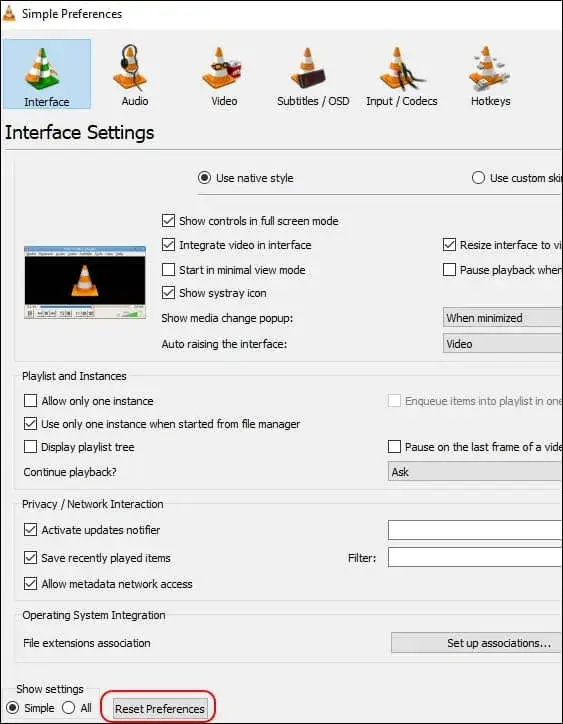
Software company Recoveryfix has published a guide offering solutions to a common problem where YouTube videos fail to play in the VLC Media Player. This guide aims to assist users experiencing playback disruptions that may stem from configuration changes, software updates, or compatibility conflicts.
The article outlines several recommended methods for diagnosing and rectifying the problem. A key suggestion involves resetting VLC's preferences to their original default settings, which can resolve issues arising from previous user modifications. Another piece of advice is to disable hardware-accelerated decoding within VLC's input/codec settings, as this can sometimes interfere with video streaming.
Further recommendations include switching the video output module to DirectX (DirectDraw) instead of the default OpenGL. Users are also advised to disable cookie forwarding in the HTTPS module, as problems with cookies can prevent YouTube content from loading. Lastly, increasing the cache size, both for files and networks, is suggested to enhance streaming stability.
The article, published by Recoveryfix, targets end-users seeking to leverage VLC's features, such as ad-free YouTube viewing. The software developer also offers tools for video file repair, indicating their focus on related technical issues.