Steps to disable the Write with Siri feature in Apple devices
Apple's iOS 27 and macOS 27 introduce an AI-driven text tool that is enabled by default, necessitating manual intervention in privacy settings to disable.
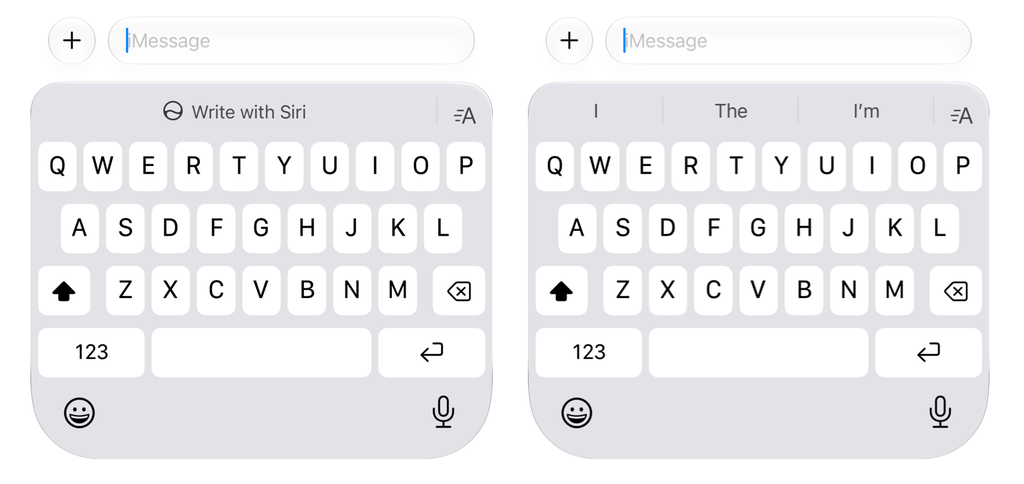
Apple has integrated the 'Write with Siri' tool into its latest operating systems, iOS 27 and macOS 27, aiming to assist users with text generation in various applications. The tool appears as a floating toolbar on macOS or a prominent button above the keyboard on iOS devices, a design choice that some users have found intrusive during standard text input.
Disabling the feature requires navigating through non-obvious settings paths. On iPhones, users must access the Screen Time menu and adjust Content & Privacy Restrictions to revoke access to Writing Assistance. On macOS, the process is less streamlined, often requiring a revert to the previous version of Siri or the complete disabling of the AI assistant to remove the interface elements entirely.
The implementation of these AI features reflects a broader industry shift, where major technology firms are prioritizing the mass adoption of generative AI. By making these features default and difficult to remove, companies aim to ensure their AI tools remain visible and frequently accessed by the consumer base.
Industry analysts observe that Apple is under pressure to match the AI development pace of competitors like Google and Microsoft. However, the friction associated with opting out of these features highlights the ongoing tension between company-led AI integration and user control over their digital environment.